Your clients always know
what's next
CloseClock tracks your key contract deadlines and gives each client a live timeline they open with one link — no account, no app, no subscription. Works alongside whatever platform your brokerage already requires.
Closing deadlines get scattered across contracts, calendars, emails, and transaction systems. CloseClock puts the dates your clients care about in one simple timeline.
The essential tools to close on time
Built for real estate agents who want to stay ahead of every deadline
Every contract date, mapped out
Inspection period, loan commitment, appraisal, final walkthrough, closing date — laid out on one timeline with overdue items flagged in red.
Reminders that go out without you
Automatic emails before each deadline, to you and to your client. CloseClock reminds you both as dates approach, so staying ahead of them is not a memory exercise.
A client portal with your name on it
Buyers and sellers open a secure link and see exactly where the deal stands. No account, no password, nothing to download.
Already using a transaction management platform? Keep it. CloseClock works alongside it, giving your clients a simple, branded view of what happens next.
A simple process
Add a transaction
Enter the property, closing date, and key contract dates.
Review the timeline
CloseClock lays out the milestones and deadlines for you.
Share it with your client
Send a link so buyers and sellers can follow along.
Built for the way you actually close deals
A quick look at what agents and their clients see inside CloseClock.
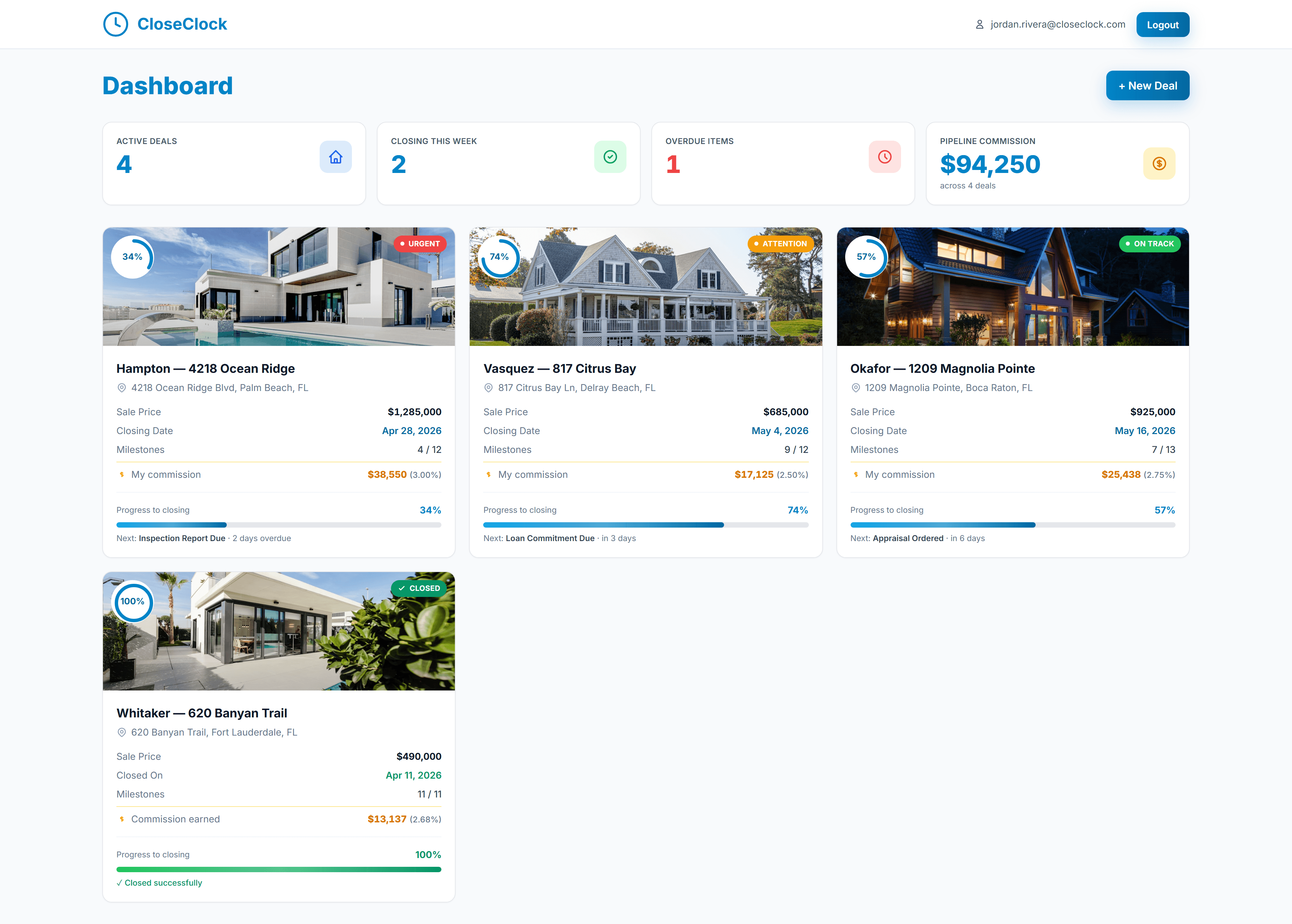
Every deal at a glance
Track active deals, upcoming and overdue milestones, and pipeline commission on one screen.
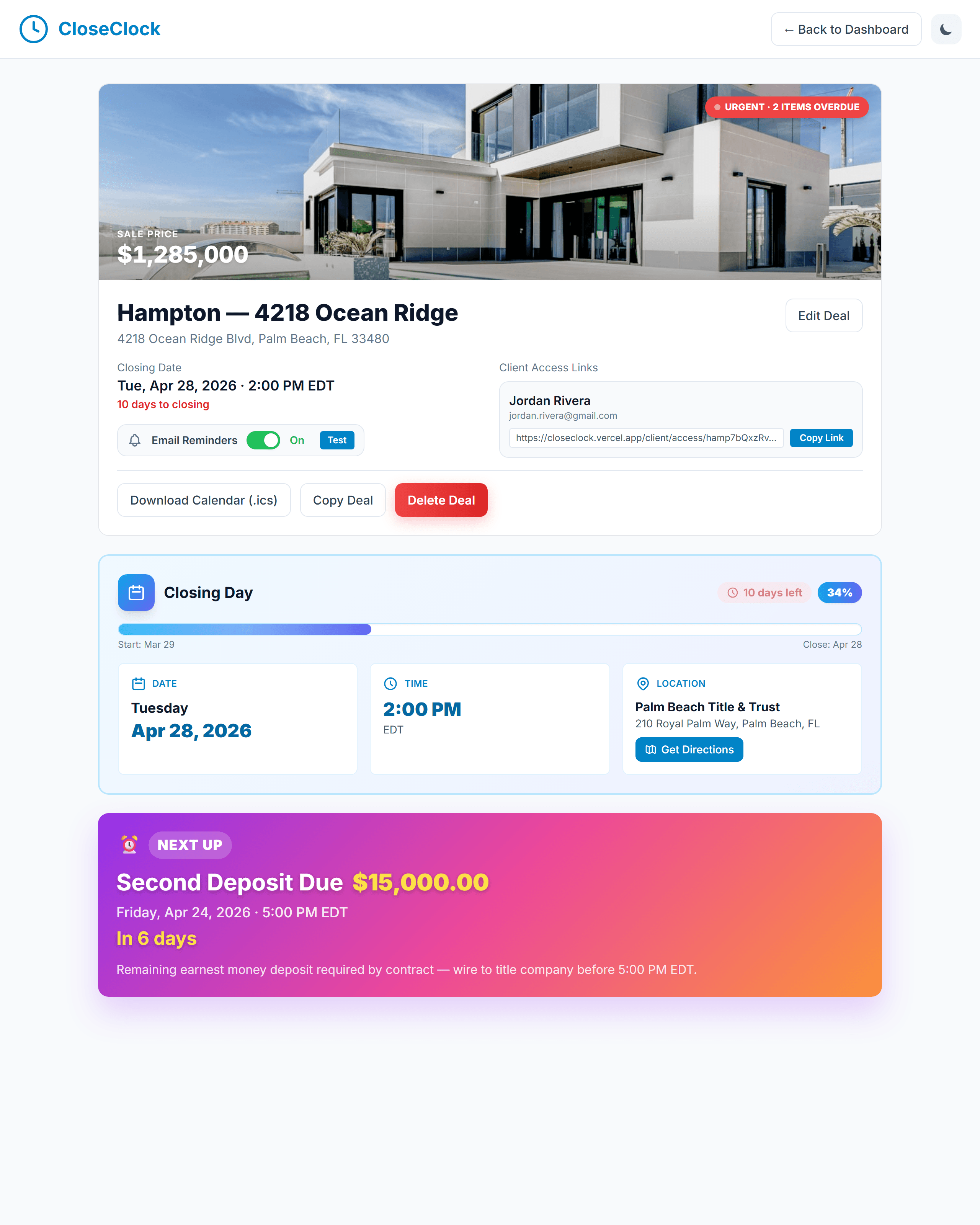
Timeline management, not guesswork
Visual milestones, automated reminders, and a shareable closing date — the whole deal, organized.
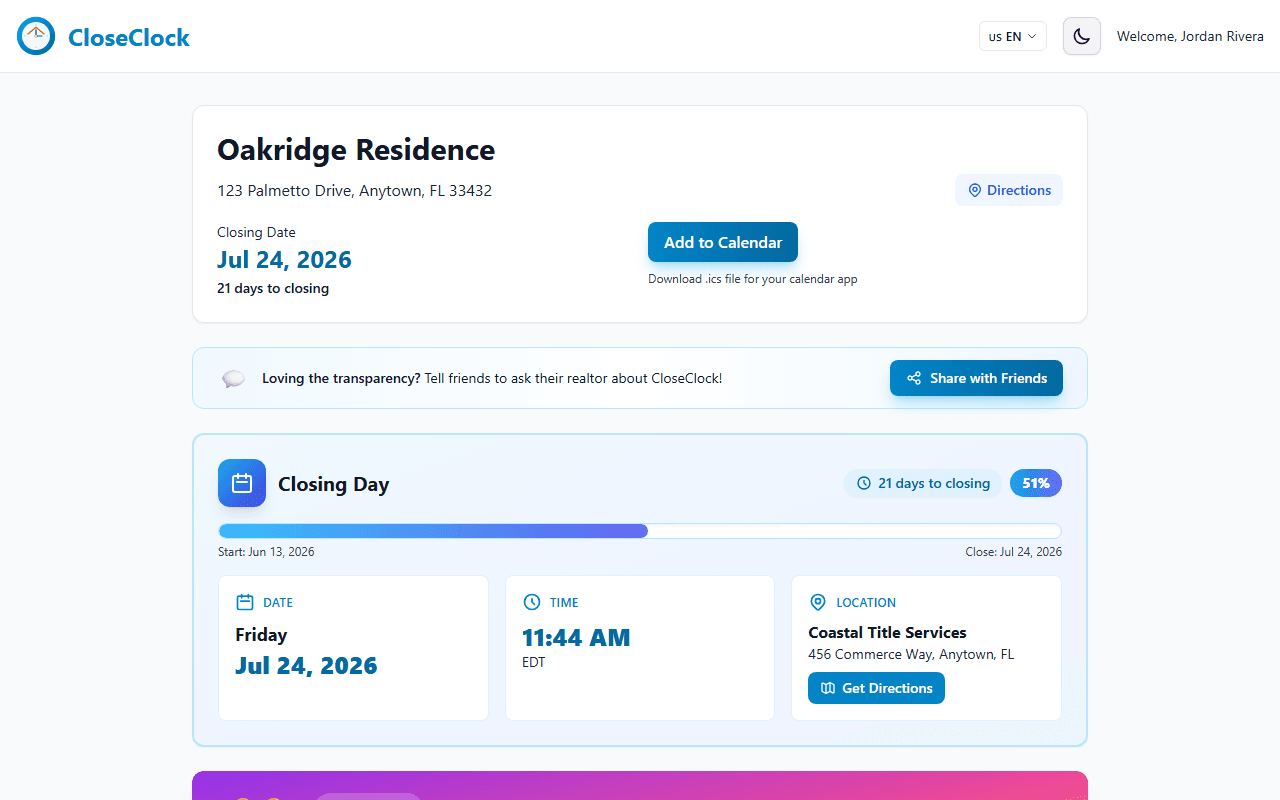
Help clients understand what comes next
A branded portal your clients reach with a secure link or an emailed code — no account, no password to remember.
Built by a licensed Florida real estate agent who got tired of tracking closing deadlines in a spreadsheet. — Adir Hazan, Founder
Simple, honest pricing
$0 your first 3 transactions · $10 per transaction after that
- Automated deadline reminders
- Client-facing timeline portal
- Milestone templates & checklists
- No subscription, no monthly fee, no contract
- No credit card needed to start
Three free transactions in total, for the life of your account — not three per month, and they never expire. Once they're used, add a card and your $10 is charged only at the moment you create a transaction.
Frequently Asked Questions
Everything agents and their clients ask before getting started with CloseClock.
What is CloseClock?
CloseClock is real estate transaction timeline software that helps agents track closing deadlines, automate reminders, and give buyers and sellers a live status portal — so nothing slips through the cracks between contract and closing.
Do my clients need to create an account to see their closing timeline?
Clients do not need to create an account or remember a password. They can open their secure transaction link or verify their email to access the portal.
Is CloseClock free for agents to use?
Your first three transactions are free and no credit card is required to get started. After that it is $10 per transaction, charged only when you create one.
Does CloseClock work for cash buyers, financed buyers, and sellers?
Yes. CloseClock includes templates for financed purchases, cash purchases, new construction, and seller-side listings, and every timeline can be customized to match your contract.
Organize your next closing with CloseClock
Start free — no credit card required.